Loading...
Please wait while we prepare your content
Please wait while we prepare your content
iView Learning brings together short video tutorials, a personal dashboard, a Study Planner, expert trainer help and usage analytics, so individuals and organisations can get the most from their assistive technology.
A fresh, accessible design with new tools that help you learn your software, plan your study or work, and pick up exactly where you left off. Everything you already use is still there, in a cleaner layout, and a short guided tour shows you around the first time you sign in.
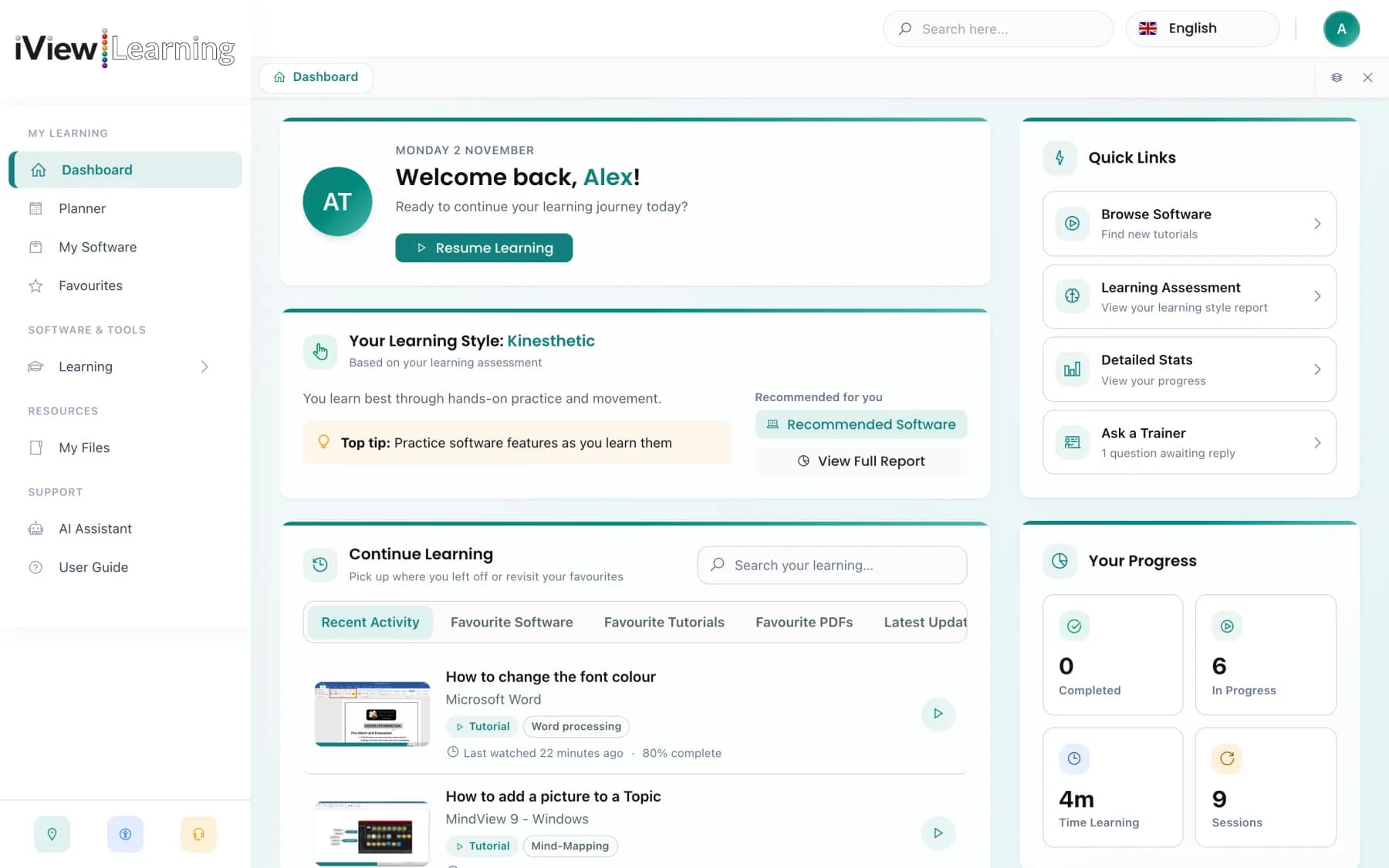
A calm, card-based layout with a grouped side menu, browser-style tabs, global search and a full dark mode.
A learning style assessment, notes and bookmarks, step pauses and guided tours with optional voice-over.
A personal dashboard, clear progress figures and a new Study Planner that exports to any calendar.
A closer look at four of our most impactful capabilities, including what's new.
Every tutorial is designed to be completed in under 2 minutes - concise, searchable, and laser-focused on a single task. No lengthy courses, no filler. Learners find exactly what they need and apply it immediately.
A powerful, accessible, and constantly evolving platform built around the needs of real learners.
Short tutorials of around 90 seconds, each with a downloadable PDF guide, covering Dragon, Glean, Read&Write and many more. New videos are added every week, alongside mindfulness and wellbeing content.
Reports for employers, colleges and universities showing who is using their software, how often, and where people need more help.
Practise as you go with hands-on activities, ideal if you learn best by doing rather than watching.
Helps needs assessors compare hardware and software options and recommend the right setup, all in one place.
Works on Windows, Mac, iOS, Android and tablets. Your tutorial progress is shared between the website and the mobile app, so you can pick up where you left off on either.
Choose your software, pick a topic and ask. Get instant answers about the software you use, with clear formatting that is easy to read on any screen size.
Stuck on a step? Send a question to a qualified assistive technology trainer straight from the tutorial, including the exact moment in the video.
Built to WCAG standards, with an expanded accessibility panel: high-contrast and dark modes, ten colour themes, readable fonts, a reading guide, text magnifier and more. Guided tours of every page come with optional voice-over.
Earn CPD points and certificates as you learn new software and skills.
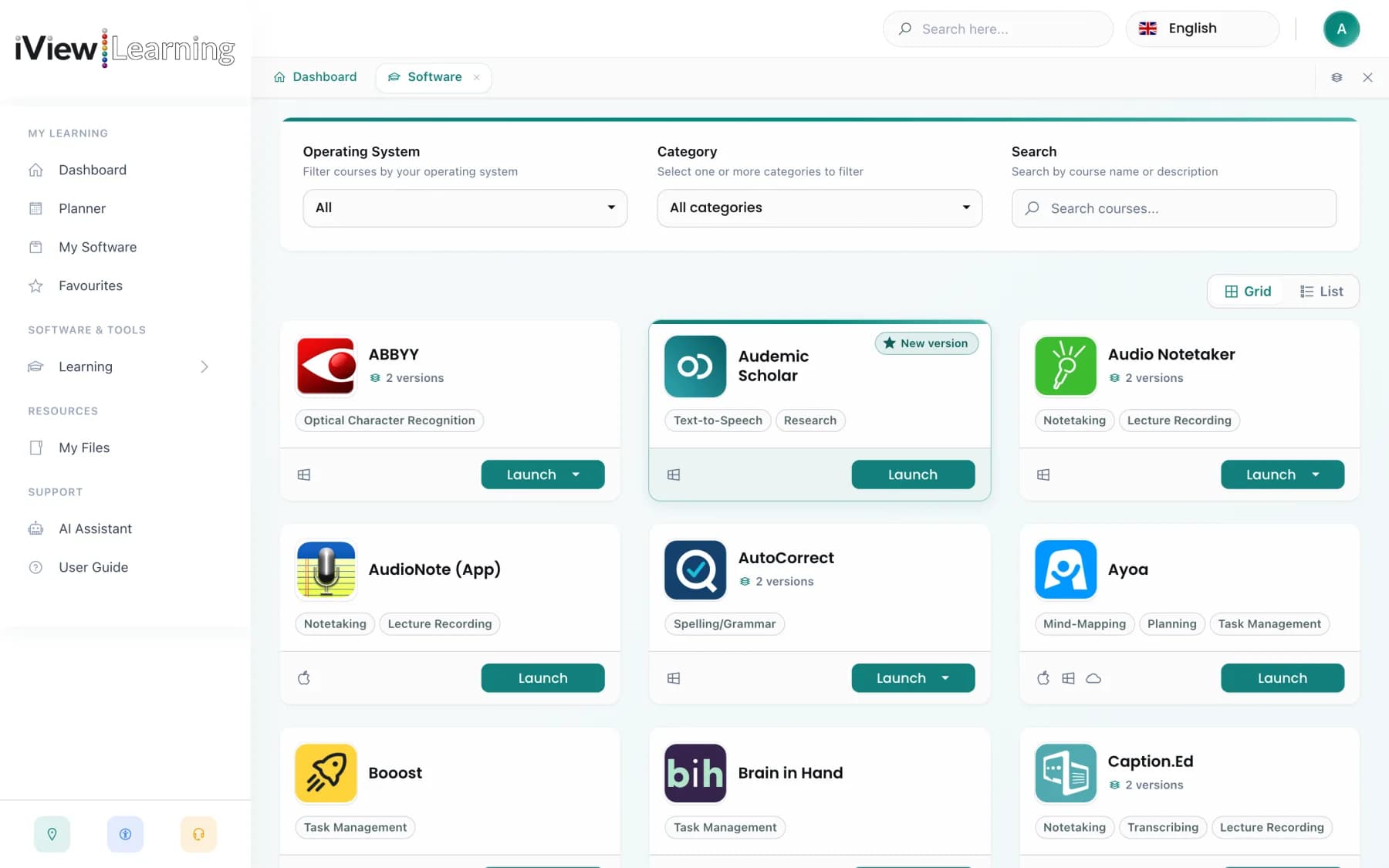
Your personal software library. Search, filter and pin your software, add your own notes, and use the Visualiser to see how your tools connect. Favourites now include PDF guides.
Resume learning in one click, with your progress, favourites and quick links on one page. Global search finds software, tutorials and tools, and pages open in tabs so you never lose your place.
A short questionnaire works out whether you learn best by seeing, hearing or doing, then matches each piece of your software to your style.
Plan study sessions and deadlines with month, week, day and agenda views, weekly summaries and a day streak. Export to any calendar app.
Tutorials pause after each step so you can try it yourself. Save notes and bookmarks with a screenshot, export them as a PDF, or open the video in its own window for two-screen learning.
Single sign-on, limits on repeated failed sign-ins and stronger protection against unauthorised actions on your account.
No hidden extras. Everything below is available to every active subscriber.
For Individuals & Students
Learn at your own pace with personalised playlists, bookmarked tutorials, and progress tracking - ideal for DSA-funded learners or self-improvers seeking greater independence.
For Institutions & Organisations
Deploy across your entire workforce with live usage analytics, assessor tools, and white-label options to drive measurable ROI and meet compliance requirements.
For Assessors & Trainers
Access the dedicated Assessor Hub, free professional licence, and CPD certification programme - everything you need to elevate your practice and support more learners.
Trusted by 20,000+ users worldwide
“The bite-sized tutorials are exactly what our DSA students need. They find what they need instantly without sitting through long videos.”
AT Coordinator
UK University
“The analytics dashboard has transformed how we report impact to our senior leadership. We can finally prove the ROI of assistive technology.”
Head of Inclusion
Further Education College
“As an assessor, having all the software demos in one place saves me hours every week. The expert trainer chat is a brilliant touch too.”
Independent AT Assessor
DSA Provider
Everything you need to know about the platform.
See every feature in action with a personalised demo, or jump straight in with a free trial.